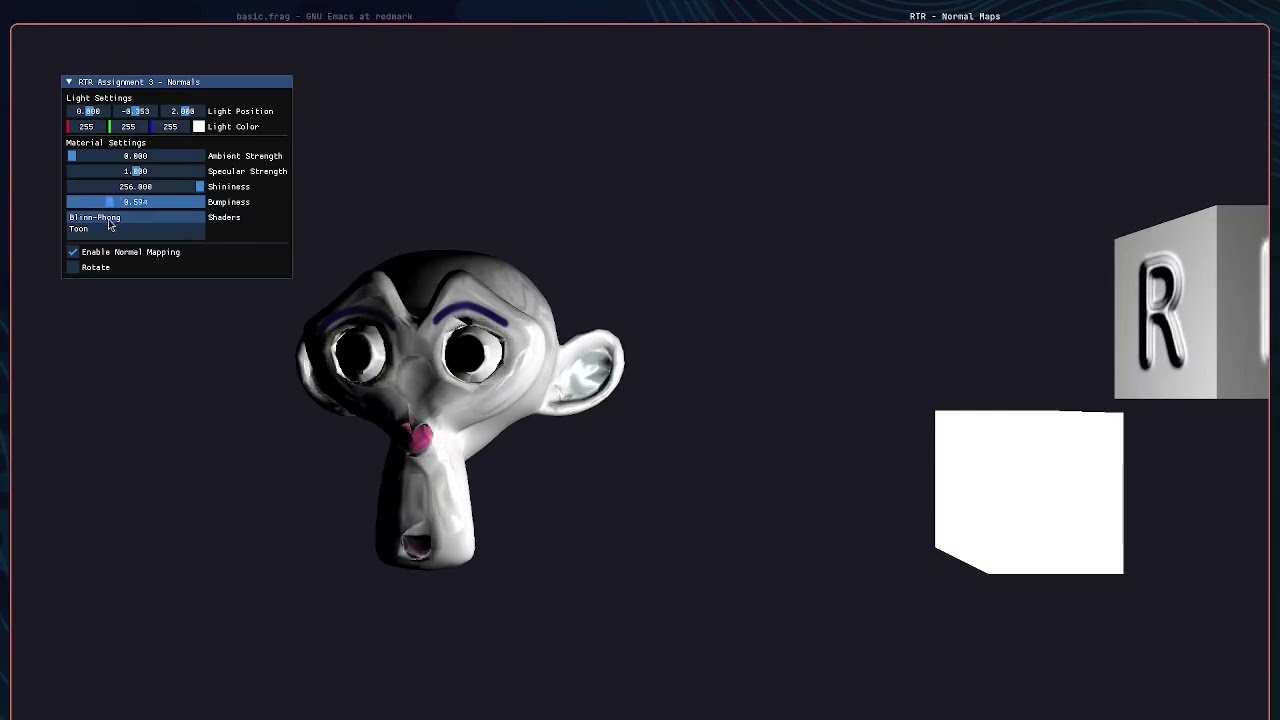
normal mapping is one of the biggest visual wins per triangle in real-time rendering. this assignment implemented it from scratch — loading tangent-space normal maps, transforming them correctly into world space, and feeding them into both a blinn-phong and a toon shader. all parameters live-editable in imgui.
the scene
three objects on screen simultaneously:
- suzanne (blender’s monkey head) — switchable between blinn-phong and toon shader, rotating, with normal mapping
- a cube — albedo texture, normal mapped
- a manhole cover — flat on the floor, normal mapped, used specifically to demonstrate how well the detail reads at different angles
an imgui panel exposes light position, light colour, ambient/specular/shininess, a bumpiness slider (0–2.0), and a toggle to enable/disable normal mapping completely — which makes the difference immediately obvious.
what normal mapping does
without it, lighting is computed from the mesh’s geometric normals — a flat polygon gets uniform shading. normal mapping stores a fake normal per pixel in a texture, offsetting the shading calculation to simulate surface detail that doesn’t exist in the geometry.
the classic example: a brick wall. one quad, normal map makes it look like actual raised bricks with shadows in the grooves.
tangent space
the tricky part is that normal maps are stored in tangent space — a local coordinate system per surface where the normal always points in (0,0,1). you can’t just use the texture value as a world-space normal directly.
the fix is the TBN matrix — tangent, bitangent, normal — which transforms the normal map sample into world space:
vec3 T = normalize(vec3(model * vec4(aTangent, 0.0)));
vec3 N = normalize(vec3(model * vec4(aNormal,  0.0)));
T = normalize(T - dot(T, N) * N); // re-orthogonalize
vec3 B = cross(N, T);
mat3 TBN = mat3(T, B, N);

vec3 normal = texture(normalMap, TexCoords).rgb;
normal = normalize(normal * 2.0 - 1.0); // unpack from [0,1] to [-1,1]
normal = normalize(TBN * normal);        // to world space
assimp computes tangents automatically with aiProcess_CalcTangentSpace, which saves a lot of manual work.
bumpiness slider
the bumpiness slider scales the xy components of the unpacked normal before transforming it — effectively exaggerating or flattening the perceived surface detail. at 0 the surface looks completely flat, at 2.0 the detail is heavily embossed. this is the same idea as a “normal strength” slider in blender or substance.
toon + normal mapping
combining toon shading with normal maps was the most interesting part. the quantized bands in toon shading respond directly to the normal — so the hard edges between light bands follow the surface detail from the texture, not just the geometric silhouette. this gives the cel-shaded look a lot more depth without any extra geometry.
what i learnt
- the TBN matrix is the entire trick. once that’s right, everything else is just normal blinn-phong
- re-orthogonalization of the tangent (gram-schmidt) matters — without it, skewed UVs produce visible shading errors
- the bumpiness exaggeration trick is useful: subtle normal maps often need boosting to read clearly at typical viewing distances
- disabling normal mapping with a toggle and watching the surface flatten instantly is a much better teaching tool than any diagram