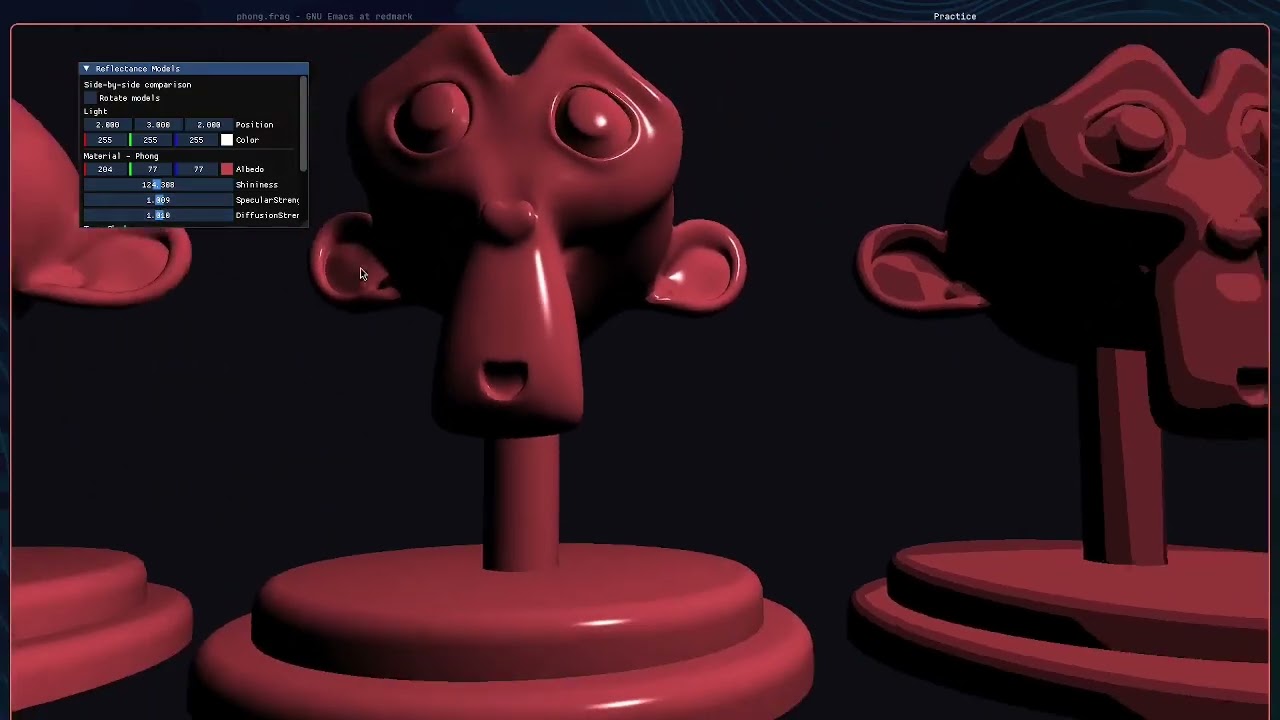
this was a comparison assignment — implement phong, toon, and pbr (cook-torrance) shaders, run all three on the same mesh simultaneously, and expose every parameter through imgui so you can see exactly what each model responds to.
the setup
three instances of the utah teapot rendered at different x-positions, each using a different fragment shader. all share the same vertex shader and the same light source. the imgui panel lets you tweak:
- albedo colour
- shininess (phong)
- specular strength, diffuse strength
- toon quantization levels
- pbr roughness, metallic, ambient occlusion
the camera is a free-fly setup — left click to capture, WASD to move.
phong
phong is the classic — ambient + lambertian diffuse + specular highlight. the specular is view-dependent: it uses the reflection vector R = reflect(-L, N) and raises dot(R, V) to a shininess power.
vec3 reflectDir = reflect(-lightDir, norm);
float spec = pow(max(dot(viewDir, reflectDir), 0.0), shininess);
it’s fast, understandable, and still used in plenty of real-time contexts. the shininess value is its main lever — low values give wide soft highlights, high values give tight sharp ones.
toon / cel shading
toon shading quantizes the diffuse component into discrete bands using floor():
float diff = max(dot(norm, lightDir), 0.0);
float toonDiff = floor(diff * levels) / levels;
the levels uniform controls how many bands you see. at 2–3 levels you get the classic cel-shaded look. what surprised me: this is all it takes for the basic effect. the hard edge comes for free from the quantization — no edge detection needed at this stage.
combining toon diffuse with a hard specular threshold (instead of a smooth pow) completes the look.
pbr — cook-torrance
pbr is the real-world model. it separates light interaction into:
- diffuse: lambertian (same as phong)
- specular: microfacet model using three terms — D (normal distribution, GGX), G (geometry/self-shadowing, smith), F (fresnel, schlick approximation)
the full specular term is:
vec3 specular = (D * G * F) / (4.0 * max(dot(N, V), 0.0) * max(dot(N, L), 0.0) + 0.001);
the roughness parameter controls D and G — rough surfaces spread specular wide and dim, smooth surfaces concentrate it bright and tight. the metallic parameter drives fresnel — metals have coloured reflectance while dielectrics reflect white.
the difference becomes obvious when you drag roughness from 0.02 to 1.0: phong can’t reproduce this range convincingly; pbr just looks physically right.
what i learnt
- pbr’s main advantage isn’t raw quality — it’s predictability. parameters behave consistently across all lighting conditions
- toon shading is way simpler to implement than i expected. the hard part is stylizing it further (outlines, rim light, hatching)
- phong is still fine for a lot of use cases. the difference between phong and pbr at middle shininess values is not that dramatic — it’s the extremes (very rough or very smooth) where pbr wins clearly
- running three shaders on the same mesh at the same time makes comparison immediate in a way that screenshots never quite capture